
Posted on Bitcoin4Newbies | Wallets
There’s a moment every Bitcoin holder eventually reaches. The price goes up. Your holdings start to feel meaningful. And suddenly the question hits you:
What would happen if the exchange I’m using went down tomorrow?
It’s not a paranoid question. It’s a practical one. Exchanges have frozen withdrawals, suffered hacks, and gone bankrupt. When that happens, customers find out the hard way that their Bitcoin was never really theirs to begin with.
The solution is self-custody — and the tool that makes self-custody accessible to everyday people is a hardware wallet.
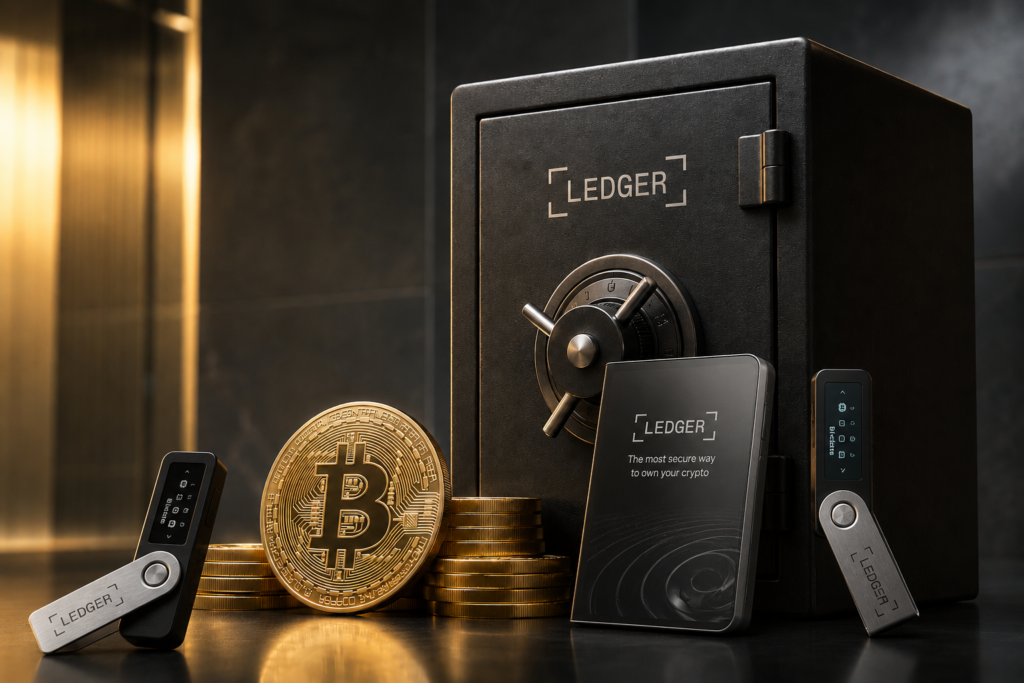
Ledger is one of the most trusted names in hardware wallets. With over 6 million devices sold and more than 20% of the world’s digital assets secured on their platform, Ledger has earned its reputation over more than a decade. Here’s everything a Bitcoin beginner needs to know.
What Makes Ledger Different?
Ledger hardware wallets are built around one core principle: your private keys never leave the device.
Every Ledger wallet features a CC EAL6+ certified Secure Element chip — the same class of security hardware used in passports, bank cards, and SIM cards worldwide. This chip is specifically designed to resist physical attacks, side-channel attacks, and unauthorized extraction of the private keys stored inside.
Ledger also runs its proprietary operating system, “BOLOS,” which isolates each application running on the device. Even if a third-party app on your Ledger has a vulnerability, it cannot access your private keys or other apps. Each application is sandboxed.
Combined, these features mean that even if someone physically steals your Ledger device, extracting your private keys requires defeating military-grade security hardware. Your Bitcoin stays yours.
The 2026 Ledger Lineup — Which One Is Right for You?
Ledger currently offers five hardware wallet models in 2026: the Nano S Plus, Nano X, Nano Gen5, Flex, and Stax—ranging from $59 to $399. Here’s the plain English breakdown for Bitcoin beginners:
Ledger Nano S Plus — $59
Best for: The budget-conscious beginner
The Nano S Plus is Ledger’s entry-level model and the most affordable way to get your Bitcoin into cold storage. It has everything you need for secure Bitcoin self-custody — just without the premium features of the higher-end models. Available in 9 different colors.
Key features:
- CC EAL6+ Secure Element chip
- USB-C connection
- Small display with two physical buttons
- Supports Bitcoin and thousands of other cryptocurrencies
- Works with Ledger Live desktop software
- No Bluetooth or battery — wired only
The Nano S Plus provides maximum security at minimum cost, making it an ideal choice for Bitcoin beginners.
👉 Get the Ledger Nano S Plus — $59
Ledger Nano X — $99
Best for: The mobile-first Bitcoin holder
The Nano X adds the feature that most beginners ask for: Bluetooth connectivity. This means you can manage your Bitcoin from your smartphone without needing a computer.
Key features:
- CC EAL6+ Secure Element chip
- Bluetooth 5.0 — works with iOS and Android via Ledger Live Mobile
- Built-in battery — no cable needed for mobile use
- USB-C for desktop connection
- Larger storage than Nano S Plus
- Supports Bitcoin and thousands of cryptocurrencies
If you primarily manage your Bitcoin from your phone, the Nano X is the clear upgrade over the Nano S Plus.
Ledger Nano Gen5 — $179
Best for: The best value overall in 2026
The Nano Gen5 hits the best balance of price, usability, and security features available in 2026. It brings a touchscreen to the Nano lineup for the first time—making it significantly easier to use than the button-based Nano S Plus and Nano X. Available in 4 color options.
Key features:
- CC EAL6+ Secure Element chip
- Touchscreen display
- NFC support
- Bluetooth connectivity
- USB-C
- Clear Signing—shows human-readable transaction details on screen
- Supports Bitcoin and thousands of cryptocurrencies
The Gen5 is the sweet spot of Ledger’s lineup — touchscreen comfort without the premium price of the Flex or Stax.
👉 Get the Ledger Nano Gen5 — $179
Ledger Flex — $249
Best for: The Bitcoin holder who wants a premium touchscreen experience
The Ledger Flex is best for users who switch between phone and desktop, sign transactions often enough to care about screen comfort, and want better mobile support. Available in 7 color options.
Key features:
- CC EAL6+ Secure Element chip
- 2.84-inch E Ink touchscreen — excellent clarity in any lighting
- Stainless steel frame — highly durable build
- Bluetooth 5.2
- USB-C and NFC
- Clear Signing for easy transaction verification
- Supports Bitcoin and thousands of cryptocurrencies
The E Ink touchscreen is a genuine upgrade for anyone who regularly verifies Bitcoin addresses and transaction details — the larger, clearer screen makes the process significantly more comfortable.
Ledger Stax — $399
Best for: The premium Bitcoin holder
The Ledger Stax offers a premium experience with its large e-ink display and supports NFT display and customization. It’s Ledger’s flagship device for those who want the best of everything.
Key features:
- CC EAL6+ Secure Element chip
- Large curved E Ink touchscreen
- Bluetooth and USB-C
- Qi wireless charging
- Stainless steel build
- NFT display capability
- Clear Signing
For most Bitcoin beginners, the Stax is more than you need. But if you want the premium experience and plan to hold Bitcoin for decades, it’s built to last.
Which Ledger Should a Bitcoin Beginner Buy?
| Model | Price | Best for |
|---|---|---|
| Nano S Plus | $59 | Budget beginners, desktop users |
| Nano X | $99 | Mobile-first Bitcoin holders |
| Nano Gen5 | $179 | Best overall value |
| Flex | $249 | Premium touchscreen experience |
| Stax | $399 | Premium flagship |
Our recommendation for most Bitcoin4Newbies readers:
- Tight budget → Nano S Plus at $59 — gets your Bitcoin safely off exchanges immediately
- Mobile user → Nano X at $99 — Bluetooth + battery for smartphone management
- Best overall → Nano Gen5 at $179 — touchscreen comfort at a fair price
How to Buy Ledger Safely
This applies to any hardware wallet — only buy directly from Ledger at ledger.com or an authorized retailer.
Never purchase a hardware wallet from eBay, Amazon, third-party sellers, Facebook Marketplace, or any source you cannot fully verify. A pre-tampered device could drain your Bitcoin the moment you transfer it.
When your ledger arrives:
- Verify the packaging seal is intact
- Confirm no seed phrase is prewritten anywhere in the box—you generate your own during setup
- Download Ledger Live only from ledger.com—never from a third-party site
- Set a strong PIN during setup
- Write your seed phrase on the provided card and store it securely offline
What Is a Seed Phrase and Why Does It Matter?
During setup, your Ledger will generate a seed phrase—24 random words that are the master key to your entire wallet.
Write it down. Store it offline. Never photograph it or store it digitally.
If your Ledger device is lost, stolen, or damaged, your seed phrase is the only way to recover your Bitcoin. Lose the seed phrase and lose access to your funds permanently. There is no Ledger customer service that can recover it for you.
This is Bitcoin’s design. Your keys, your coins. No middleman, no safety net — and no one who can take it from you either.
The Bottom Line
Your Bitcoin is only as safe as how you store it.
Leaving Bitcoin on an exchange is convenient — but it means trusting someone else with your financial future. A Ledger hardware wallet puts that control back where it belongs: in your hands.
Ledger has secured more than 20% of the world’s digital assets with over 6 million devices sold. For Bitcoin beginners who are serious about self-custody, that track record matters.
Start with the Nano S Plus if budget is the priority. Upgrade to the Gen5 for the best value. Either way, get your Bitcoin off the exchange and into cold storage today.
👉 Shop All Ledger Hardware Wallets
Important: Always verify current prices directly at ledger.com before purchasing. Prices may change. Bitcoin4Newbies may earn a commission if you purchase through our affiliate links at no additional cost to you. We only recommend products we genuinely believe in.
Also on Bitcoin4Newbies: